Finding the right modern serif font to pair with Proxima Nova can transform your design from visually flat to strikingly professional. Proxima Nova's clean, geometric sans-serif character demands a serif companion that balances its neutrality without competing for attention. Below is a practical guide to making that decision with confidence.
Why Proxima Nova Works So Well With Serif Fonts
Proxima Nova occupies a rare middle ground in typography. It is geometric enough to feel contemporary, yet humanist enough to avoid rigidity. This duality makes it an exceptionally flexible partner for a wide range of modern serif fonts.
The key principle behind any serif–sans-serif pairing is contrast with cohesion. You want visible difference in stroke structure, but shared qualities in proportion, x-height, or overall tone. Proxima Nova's generous x-height and open letterforms mean your serif companion should ideally share those spatial qualities.
When the pairing works, readers process information more naturally. Headlines carry authority through the serif, while body text remains effortless to scan in Proxima Nova. This is why editorial design, brand identities, and SaaS landing pages all benefit from this combination.
Which Modern Serif Fonts Actually Pair Well With Proxima Nova?
Not every popular serif will complement Proxima Nova. Some feel too traditional, others too decorative. Here are typefaces that hold up consistently in real-world projects:
- Freight Display Warm, bookish, and beautifully proportioned. Its moderate contrast mirrors Proxima Nova's balanced rhythm. Ideal for editorial and lifestyle brands.
- Playfair Display High contrast and dramatic. Best used sparingly for headlines or hero text. Pairs well when you want visual tension.
- GT Sectra A contemporary serif with calligraphic roots. Its sharp details add personality without feeling ornamental. Strong choice for long-form digital content.
- Libre Baskerville A free, web-optimized option with classic DNA. Its slightly condensed form creates a pleasing rhythm next to Proxima Nova's openness.
- Noe Display Bold, high-impact, and unmistakably modern. Use it for branding headlines where confidence matters more than subtlety.
- Merriweather Designed specifically for screen readability. It shares Proxima Nova's pragmatic design philosophy, making the pairing feel effortless.
How to Choose Based on Your Project's Character
Think about the texture and mood of your design before selecting a serif. A fintech dashboard needs restraint Freight Text or Merriweather will feel trustworthy. A fashion editorial demands drama Noe Display or Playfair Display delivers that energy.
Consider the visual density of your layout. If your pages are information-heavy, choose a serif with lower stroke contrast like GT Sectra or Merriweather. For sparse, image-led layouts, a bolder serif with higher contrast creates necessary hierarchy without clutter.
The level of formality also matters. Libre Baskerville and Freight Display lean refined and intellectual. Playfair Display carries a sense of occasion. Match the serif's personality to your audience's expectations, not just your personal taste.
Technical Tips for Getting the Pairing Right
Always compare fonts at the same size and weight before committing. A serif that looks balanced at 36px may feel overpowering at 18px. Test across actual content, not just a specimen sheet.
Watch your font-weight ratio. Proxima Nova Regular pairs best with a medium-weight serif for body text. For headlines, a bold or display-weight serif against Proxima Nova Light or Regular creates clean contrast.
Common mistakes to avoid:
- Using two fonts with nearly identical x-heights and letter spacing the pair reads as visually monotone.
- Pairing Proxima Nova Bold with an equally heavy serif weight the result feels dense and aggressive.
- Ignoring line-height adjustments. Serifs in body text generally need 1.5–1.7 line-height to breathe properly alongside Proxima Nova.
- Overloading a single page with three or more font families. Two is the working maximum for clean hierarchy.
When something feels off, reduce the number of sizes and weights you are using before swapping fonts entirely. Most pairing problems come from inconsistent scale, not the wrong typeface choice.
A Quick Checklist Before You Finalize
- Define the role of each font serif for headlines or accents, Proxima Nova for body and UI elements.
- Test your serif choice at three sizes: headline, subheading, and body. Confirm it holds up across all three.
- Check x-height alignment between both fonts at your target sizes.
- Verify weight contrast the two fonts should feel distinct but not disjointed.
- Read a full paragraph of real content, not placeholder text. Legibility under actual conditions is the only metric that matters.
- View the pairing on both a high-resolution screen and a standard display to catch rendering inconsistencies.
The right modern serif paired with Proxima Nova does not just look good it gives your design a clear voice. Take the time to test deliberately, trust your reading experience over trend lists, and commit to the combination that serves your content best.
Explore Design Best Serif Font Pairing with Proxima Nova
 Proxima Nova and Georgia: Professional Serif Font Pairing for Branding
 Best Serif Font Pairings with Proxima Nova for Wedding Invitations
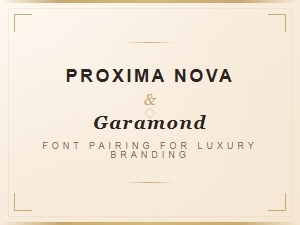 Proxima Nova and Garamond Font Pairing for Luxury Branding
 Best Serif Fonts to Pair with Proxima Nova for Web Typography
 Proxima Nova Font Pairings for Luxury Brand Identity and Design